Stay on top of your finances with an app that is private, secure and subscription-free. Balance, monthly trend and every category always one tap away.

No bank connection, no subscription to read your own numbers. You record what you spend and the app does the rest.
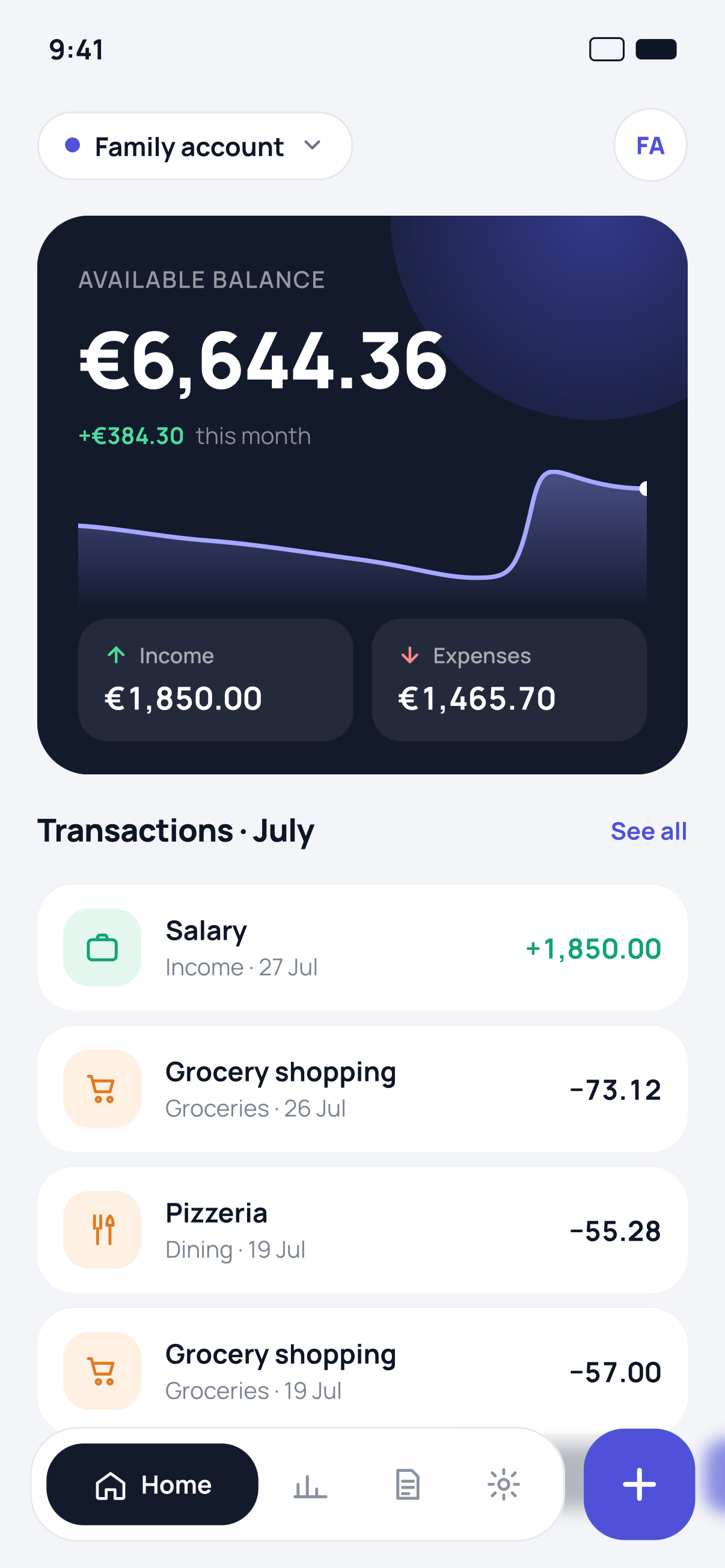
Log a transaction in seconds: amount, category, description. The balance updates right away.
Set a spending cap and see what is left of the month without doing the maths yourself.
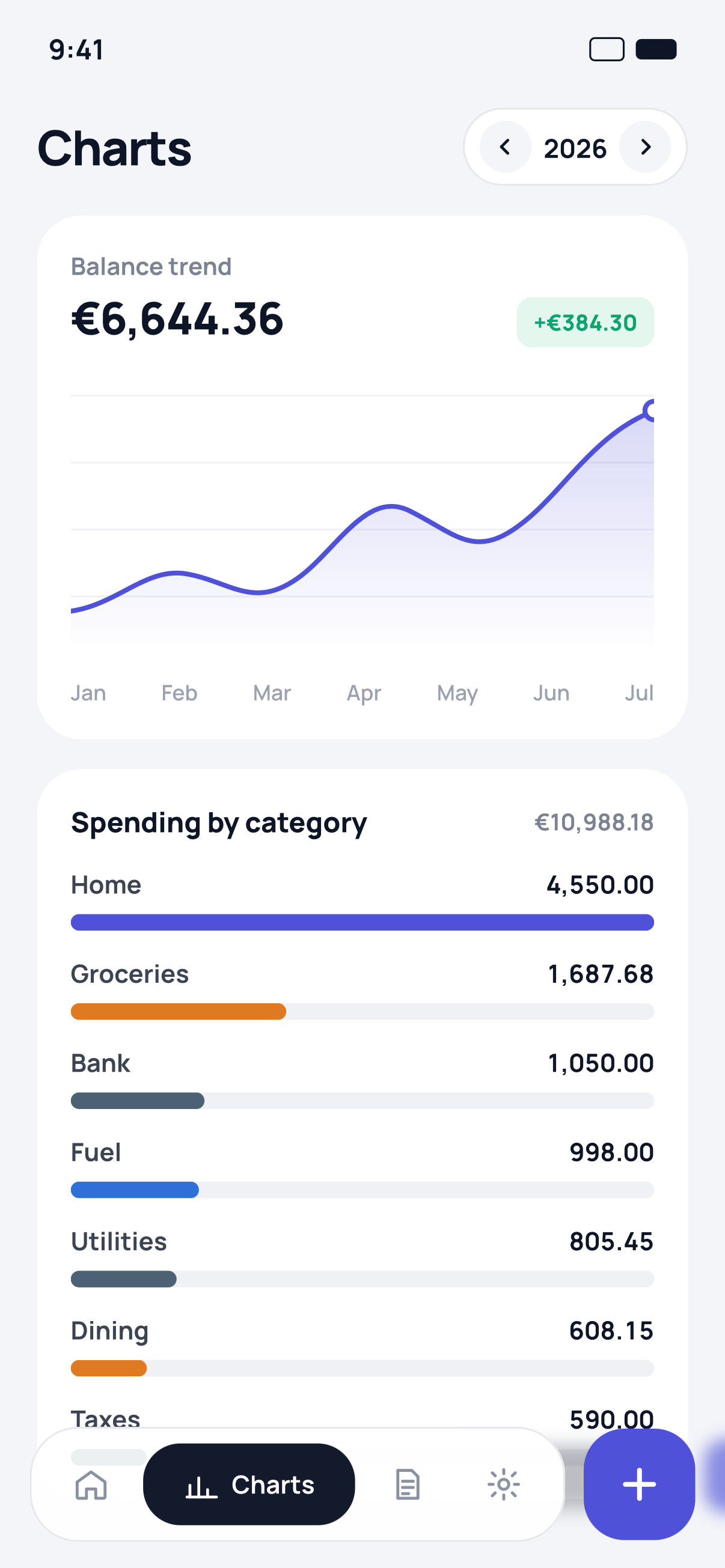
Yearly balance trend, spending by category ranked, and a month-by-month comparison.
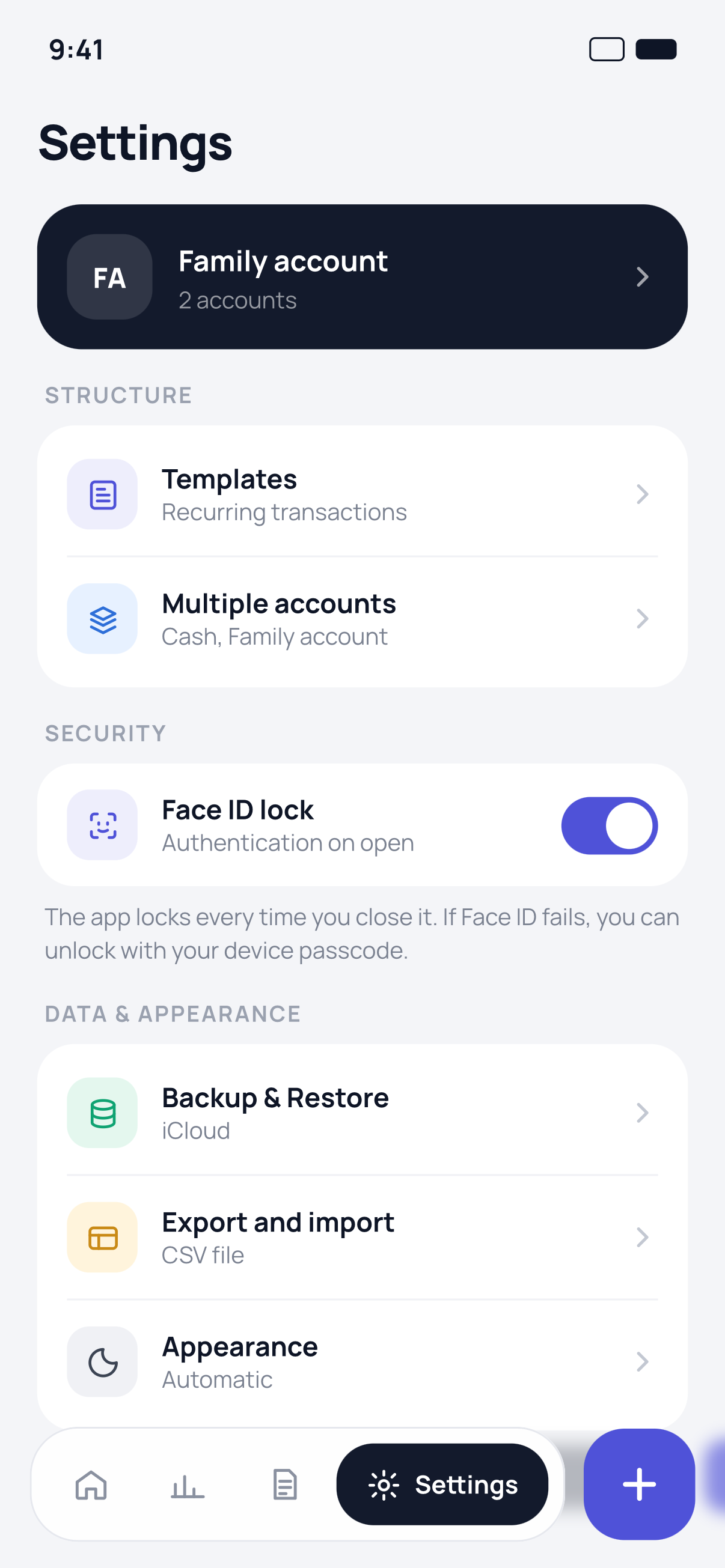
Cash, current account, family account: each one keeps its own balance and history.
Rent, weekly groceries, salary: whatever repeats goes in with a single tap.
It follows your system appearance, or you pick the one you prefer.
The app locks every time you close it. Nobody opens your accounts but you.
One copy encrypted with your Apple ID, so a new device picks up where you left off.
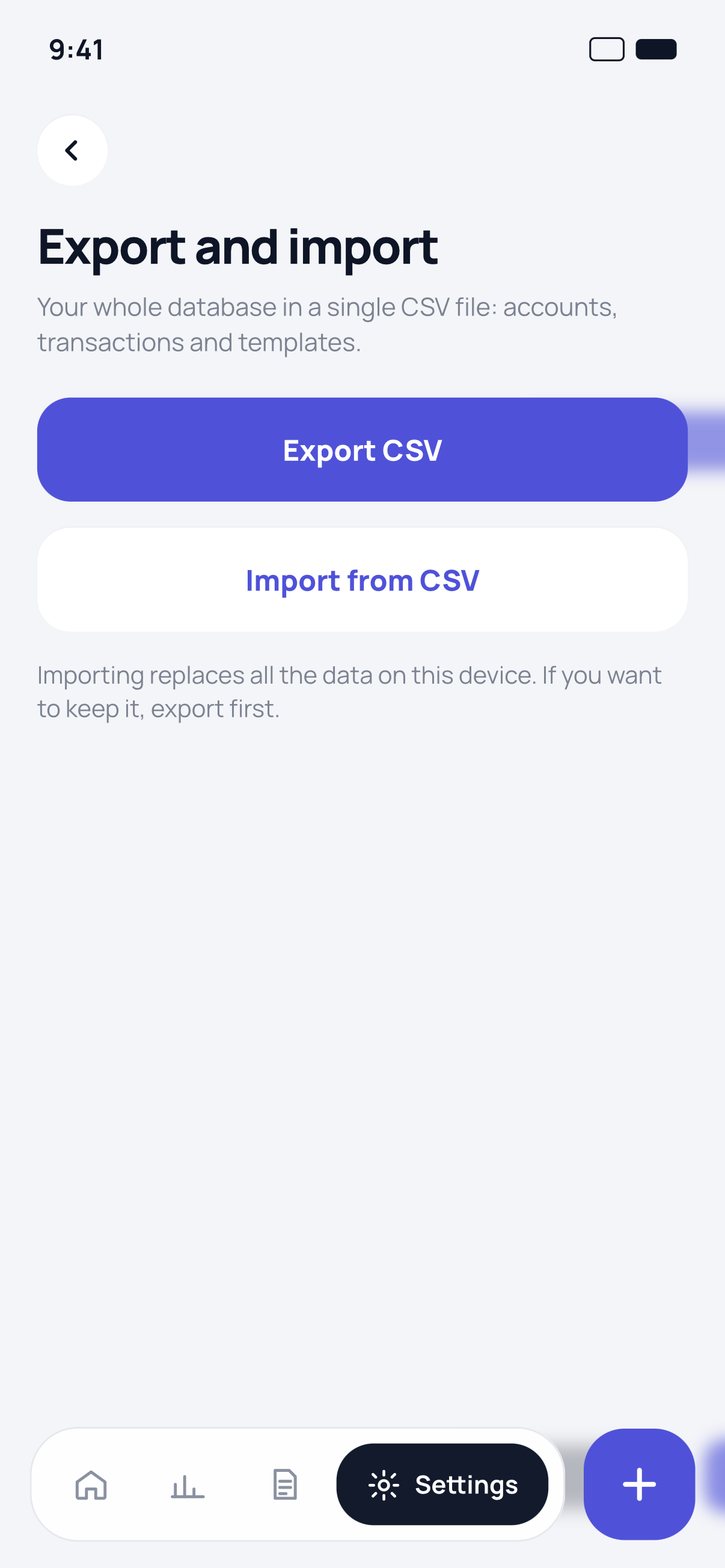
Your whole database in a single file: accounts, transactions and templates, spreadsheet-ready.
Open it and use it. No email, no password, no profile to create.

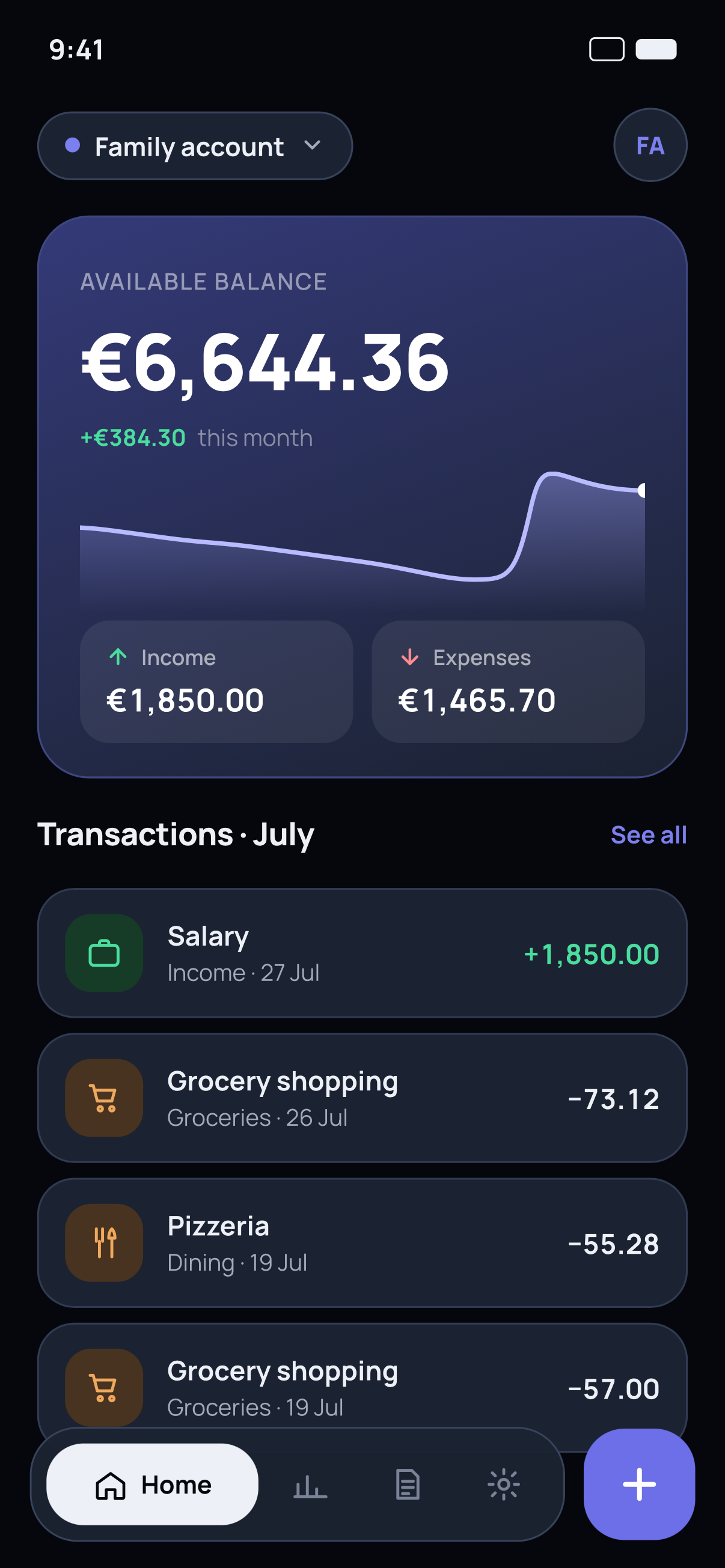
Balance, monthly trend and income versus expenses up front.

Spending by category and a comparison across the months.

The same layout on a dark surface, following your system.

iCloud backup and CSV export of accounts, transactions and templates.
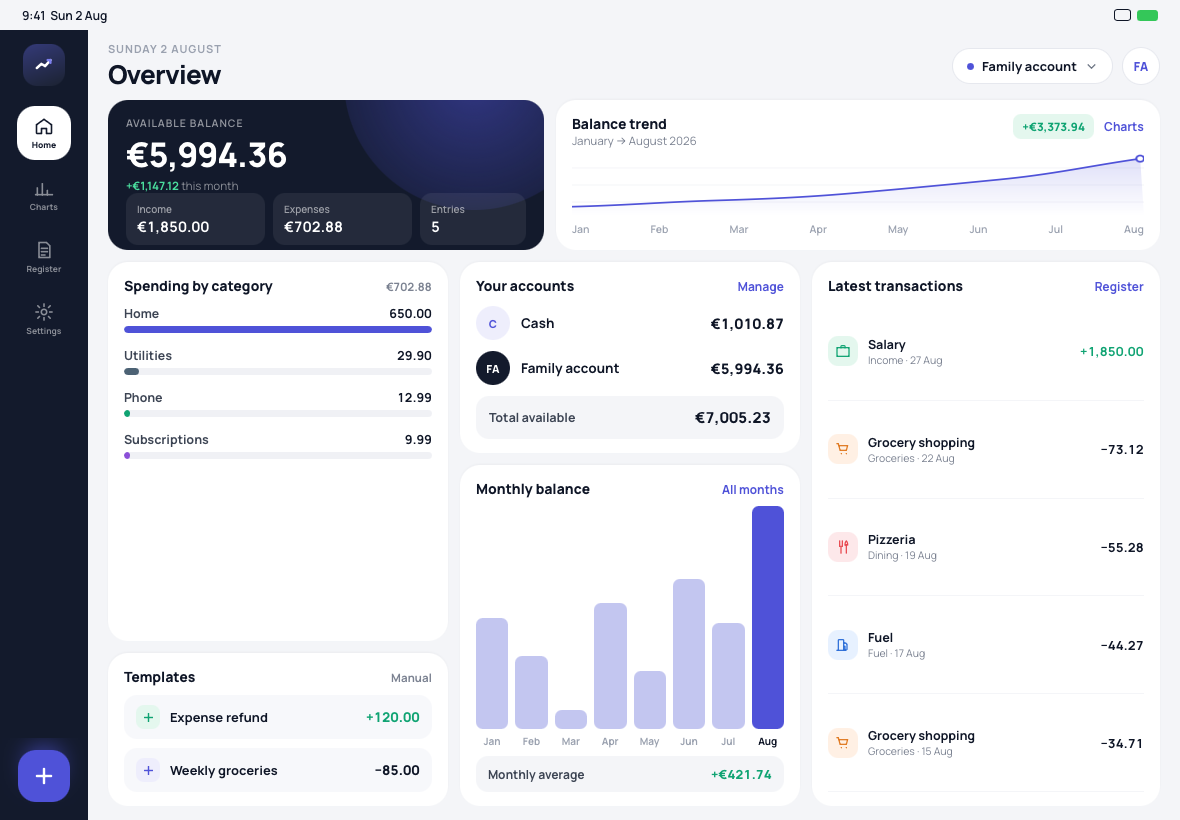
On iPad the layout uses the whole screen: sidebar, balance, yearly trend, categories, accounts and transactions all visible at once. Settings open in two panels, the way iPadOS apps should.

There is no account to create and no server holding your transactions. The only copy that leaves the device is the one you choose to export or save.

Answers to what people ask us most. Everything else lives on the support page.
Go to supportNo. Bilancio Famigliare works without signing up: download it, open it and start recording transactions.
No. Your information stays on the device unless you turn on backup or data-exchange features yourself.
Yes, as CSV: a single file with accounts, transactions and templates that opens in any spreadsheet.
Yes. Importing replaces the data currently on the device, so export a copy first if you want to keep it.
Yes, with a layout built for the large screen in both portrait and landscape.
You turn it on in settings and the app asks for authentication every time it opens. If Face ID fails you can use your device passcode.
No. There are no subscriptions and none of your own data is placed behind a recurring payment.
Download Bilancio Famigliare and log your first transaction in under a minute.
Download on theApp Store Requires iOS 17 or later · iPhone and iPad